
Finding the best IPTV services takes more than comparing channel counts. IPTV means television delivered over an internet connection. The term describes how video reaches your screen; it does not tell you whether a service has the channels you want, works in your country, or has the rights and support you expect.
This guide compares well-known live TV streaming options with internet-delivered subscription services. It explains what to check before paying, how to compare plans, and how to avoid choosing a service based on a headline number alone. Availability, packages, and prices can change, so use each provider’s current plan page before you subscribe.
What “IPTV service” means
IPTV is a broad delivery method. Cable companies, licensed live TV apps, and other subscription services can all send television over internet networks. In everyday searches, people may use “IPTV” to mean a channel package that works through an app or compatible player.
That label alone does not confirm the service’s channel rights, reliability, device support, or customer service. Check the provider’s terms and channel list for your location. If a service does not explain who operates it, what a plan includes, or how to get support, treat that as a reason to pause and investigate.
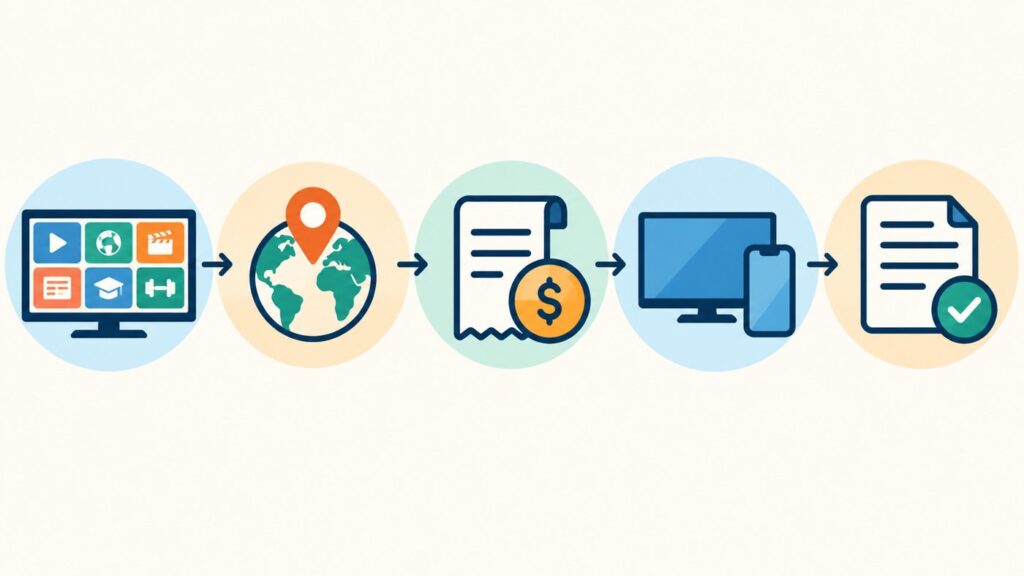
Best IPTV services at a glance
These options serve different needs. YouTube TV, Hulu + Live TV, Sling TV, and Fubo are U.S.-focused live TV services with public plan and support information. Yeah IPTV is included as a provider-site option for readers comparing internet TV subscriptions; this article is published on the Yeah IPTV website, so that listing is not an independent review or hands-on test.
| Service | May suit viewers who want | Check before subscribing |
|---|---|---|
| YouTube TV | A broad live TV package with local channels and cloud DVR features | Local channel availability, current plan, household rules, and trial terms |
| Hulu + Live TV | Live channels together with Hulu’s on-demand library and bundled apps | Regional channels, bundle details, ads, device limits, and current price |
| Sling TV | Choosing a smaller or more customizable live TV package | Which channels are in each plan, local coverage, stream limits, and add-on costs |
| Fubo | Comparing live sports and entertainment packages | Regional sports availability, channel lineup, fees, device support, and current terms |
| Yeah IPTV | Reviewing an internet TV subscription offered by this site | Current channel list, supported devices, connections, payment and refund terms, and support details |
The table is a starting point, not a ranking based on laboratory testing. The right choice depends on your country, the programs you watch, your devices, and the terms you are comfortable with.
How to compare the best IPTV services for your home
1. Confirm that the channels you watch are included
Write down the channels, teams, or programs you actually watch. Then search each provider’s current channel lineup. A large total can be less useful than a smaller package with your local news, preferred sports, or language channels.
- Check local channels by ZIP code or service address when offered.
- Look for regional sports networks and event blackouts.
- Confirm whether a channel is live, on demand, or available only through an add-on.
- Check whether the lineup differs by country or territory.
For sports, verify the specific league, team, and competition. A provider may carry a network that shows some events without carrying every game you expect.
2. Compare the full monthly cost
Compare the amount you will pay after promotions end. Add any required add-ons, equipment, taxes, or other fees shown at checkout. A low introductory price can change after a short offer period.
For each plan, note the regular price, promotion length, renewal price, cancellation rules, and any extra charge for more screens or channels. Check the checkout page and terms, not only a search result or an old review.
3. Check device and connection support
Make sure the service supports the screen you plan to use. Provider apps may work on selected smart TVs, streaming sticks, phones, tablets, computers, or game consoles. Support can vary by model and operating system version.
Also check the provider’s recommended internet speed and whether your home Wi-Fi can handle simultaneous streams. If possible, test the service on the device and network you will use most. For setup pointers, see our Yeah IPTV setup guide. A fast internet plan does not guarantee smooth video if Wi-Fi coverage is weak or the home network is busy.
4. Understand streams, DVR, and playback limits
“Connections” and “simultaneous streams” may mean different things. A plan may allow several registered devices but only one or two streams at once. Read the specific rules for watching inside and outside the home.
If you record programs, check the DVR storage limit, how long recordings remain available, and whether you can skip ads. If you mostly watch on demand, compare the catalog and expiration dates instead.
5. Review payment, cancellation, and support terms
Before entering payment details, identify the company that will bill you and how to reach support. Read renewal, refund, cancellation, and trial terms. Save the receipt and confirmation email.
A provider should clearly explain what a plan includes and how customers can get help. Be cautious if a seller gives no business details, avoids written terms, or asks you to install unfamiliar software from an unofficial download page. Do not share account credentials or payment information through an unverified message.
Licensed live TV apps and subscription IPTV: how they differ
Several services marketed as “IPTV” are established live TV apps that publish channel lineups, plan terms, and device support. Other internet TV subscriptions may use a separate app or player and have different payment and support arrangements. The technical delivery method can be similar, while the viewing rights, channel selection, and customer protections can vary.
Do not assume a service is authorized or unauthorized from the word “IPTV” alone. Review the provider’s terms, the channels it offers in your location, and the applicable rules where you live. If you cannot verify what you are buying, choose a provider that gives you clear written information before payment.
What to know about each service
YouTube TV
YouTube TV publishes its current plan options and channel information on its official site. It may be a fit if you want a live TV package with local channels, sports, news, and cloud DVR features in an eligible U.S. location. Before signing up, enter your location to confirm local stations and review the plan that is currently offered to you. Promotional rates and trials can change, so compare the post-promotion price with your budget.
Check how many screens you can use at once and the rules for watching away from home. If you mainly want one or two channels, a broad bundle may cost more than a smaller service or direct subscription.
Hulu + Live TV
Hulu + Live TV combines live television with Hulu’s on-demand library and other bundled services, depending on the selected plan. This can be useful if you already watch Hulu content and want both on-demand shows and live channels in one subscription. The combination also makes it important to read the plan details: included apps, ad tiers, live channel availability, and DVR features may differ.
Hulu asks customers to check channels in their area. Review that lineup before choosing the service for local news, sports, or a specific network. Do not assume a channel is available simply because it appears in a general national list.
Sling TV
Sling TV presents several plan combinations and add-ons, which can help viewers avoid paying for some channel groups they do not watch. Its official comparison page shows the channels and simultaneous stream limits for each option. This flexibility means the plan names and contents matter: compare the exact lineup and add-on total rather than selecting only by the lowest advertised starting price.
Local channel access can depend on your location and plan. If a local station is essential, confirm that it is included where you live and check whether an antenna or another service would be needed for coverage that is missing.
Fubo
Fubo offers live TV packages with a sports emphasis, alongside other entertainment channels. Its lineup and regional coverage can vary, so sports fans should check the actual events and networks available in their area. A network’s presence does not guarantee that it carries every game or that a local blackout will not apply.
Compare the full recurring cost, add-ons, device support, stream rules, and cancellation terms. Use Fubo’s own plan page and help information for the current details because packages may change after this guide is published.
Yeah IPTV
Yeah IPTV is the publisher’s own service, so it is included here as a direct option for readers who want to review the site’s plans. This page does not claim independent testing or compare its reliability against other providers. Before you decide, check the current Yeah IPTV plans and pricing page for the channel lineup, supported devices or apps, number of connections, billing frequency, renewal and refund terms, and customer support contact.
Ask support any question that is not answered on the plan page before paying. Keep a copy of the description and terms shown at checkout. If a channel, device, or country is important to you, ask for confirmation in writing rather than relying on a general marketing claim.
Use a weighted checklist to make the choice
When two services look similar, score each from 1 to 5 against the things your household values. Give more weight to must-have channels and availability than to a feature you may rarely use.
| Factor | Suggested weight | Question to answer |
|---|---|---|
| Channel and event match | 5 | Does the service carry the shows, channels, or teams I watch in my area? |
| Location and rights clarity | 5 | Does the provider clearly identify availability and terms for my country? |
| Total recurring cost | 4 | What will I pay after trials and introductory offers end? |
| Device and stream support | 4 | Can everyone in my home watch on the screens they use? |
| Ease of cancellation and support | 3 | Can I find clear help and cancellation instructions? |
| Extras such as DVR or downloads | 2 | Will I use these features often enough to value them? |
Multiply each score by its weight, then add the results. This does not prove one service is objectively best; it makes your trade-offs visible. For example, a lower-cost plan can still lose if it lacks the local sports channel you need. A larger bundle may be worth the higher price if you use its extra channels and on-demand library every week.
How to test a service during a trial
If a provider offers a trial, use it to check practical details before the first renewal date. Set a reminder for the end of the trial so you can make a choice before billing begins.
- Watch during the busiest time you normally stream.
- Try the service on your primary TV and one other device.
- Check picture quality, buffering, captions, and audio on your home network.
- Search for a few specific channels and programs from your viewing list.
- Test the guide, search, DVR, or replay features you expect to use.
- Find cancellation instructions while you still have access to the account.
A short test cannot predict every outage or future change. It can show whether the app, channel lineup, and account setup meet your basic needs before you commit to a recurring plan.
Which service should you choose?
- For local channels: enter your location on each provider’s lineup page and compare the stations you receive.
- For sports: check the exact teams and events, regional availability, blackout rules, and add-on charges.
- For a smaller package: compare flexible plans and confirm that your must-have channels are included before choosing the cheapest tier.
- For on-demand shows: compare the included libraries, ads, downloads, and bundle conditions.
- For viewers outside the United States: confirm the service is available in your country. U.S. live TV plans may not be offered elsewhere.
- For an internet TV subscription: verify the exact plan, supported devices, number of simultaneous streams, support contact, and cancellation terms in writing.
There is no single best choice for every household. Start with your location and viewing list, then rule out plans that do not support your devices or budget.
A simple checklist before you subscribe
- Confirm the provider serves your country and your address.
- Find your essential channels and events in the current lineup.
- Calculate the regular cost after any promotion ends.
- Check device compatibility and simultaneous stream limits.
- Read the trial, renewal, cancellation, and refund terms.
- Verify the provider’s support contact and payment page.
- Keep a copy of the plan details and receipt.
Frequently asked questions
What is the best IPTV service?
The best service depends on your location, channels, budget, devices, and viewing habits. Compare the current lineup and terms for your area before choosing. No single provider is best for every viewer.
Is IPTV the same as streaming TV?
IPTV is television delivered over internet networks. Streaming TV is a common way to describe watching video online. The labels overlap, but they do not tell you which channels a provider offers or what rights it has.
Are IPTV services available in every country?
No. Provider availability, channels, and plan terms vary by country and sometimes by region within a country. Check the provider’s official availability page before subscribing.
How much internet speed do I need for IPTV?
Requirements vary by provider, video quality, and number of simultaneous streams. Check the service’s published recommendations and test your home connection on the device you plan to use.
Can I watch IPTV on a smart TV?
Often, but support depends on the provider, TV model, and operating system. Check the provider’s current supported-device list. Do not install apps from unofficial sources unless you have verified they are safe and supported.
What should I check before buying an IPTV subscription?
Confirm the channel list, country availability, compatible devices, stream limit, total recurring cost, renewal and cancellation terms, and support contact. Keep a copy of the plan details you accepted.
Are free trials always available?
No. Trials and promotional offers change and may be limited to eligible customers. Review the current offer terms, trial length, and billing date before signing up.
Final thoughts
Choosing among the best IPTV services is easier when you compare the details that affect your household: channels, region, cost after promotions, devices, streams, and cancellation terms. Use current provider pages to verify those details because packages can change.
If you are considering Yeah IPTV, review the Yeah IPTV plan information before deciding. Confirm the channel list and terms that apply to your location, then compare them with other services using the checklist above.